Don't sweat your best ideas, test them. Avoid risks by simulating your ideas with Flexsim Simulation Software.
Download the Flexsim free trial

Flexsim Simulation Software - Overview

Flexsim is the most powerful tool for modeling, analyzing, visualizing, and optimizing any imaginable process - from manufacturing to supply chains, abstract examples to real world systems, and anything in between.


Visualize in 3D

Break out of 2D simulations and into a whole new world of true to life visualization. Build your models in Flexsim's native 3D from the start - no post processing! Learn more

Analyze your system

Discover the causes of bottlenecks and backups. Create 3D charts and graphs right in your model. Export reports and statistics. Learn more

Optimize your process

Flexsim includes a built-in experimenter as well as OptQuest® to allow you to maximize your system's potential. Learn more

Ease of use

Drag and drop model building, intuitive controls, comprehensive help, and more combine to make Flexsim the easiest simulation software you'll ever use. Learn more

Customize your modeling experience

Import your own shapes and CAD layouts, create your own objects or user libraries, customize controls, and so much more! Learn more

Visualize in 3D

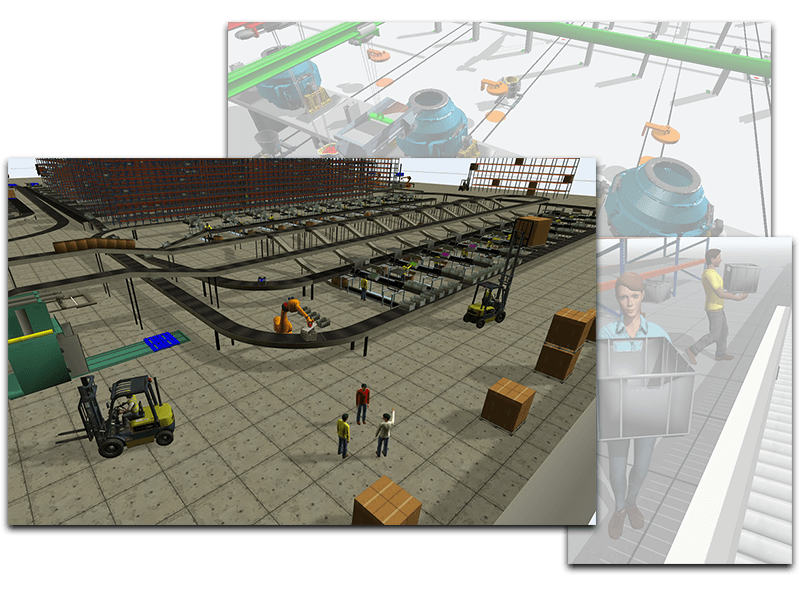
Flexsim was built from the ground up to give you a truly immersive 3D experience. There is no better way to see what is happening in your system than to build it in 3D.


Build in a 3D world

Flexsim was built from the ground up to take advantage of today's advanced 3D visualizations. Drag and drop objects into a virtual world. Create spatial relationships in your model to mimic your real life system. Include custom 3D shapes and CAD layouts.

[image: Flexsim Simulation Software - 3D at its finest.]You'll simulate not only the behavior of your real life system, but also the look and feel, allowing you to immediately see what's going on.

Many simulation packages are built on older 2D technology - with 3D post-processors tacked on as an afterthought. Not with Flexsim. Flexsim was conceived to be the most sophisticated 3D discrete event package ever created.

View Screenshots

[image: Use Flexsim's powerful 3D animation and effects to add realism to your simulation.]
Realism

Flexsim uses OpenGL, the same graphics library used in today's hottest 3D games. Realistic spatial relationships, dynamic lighting, environmental effects, and more help make your models as realistic as you like.

Immersive presentations
[image: Use Flexsim Simulation Software to present your simulation modeling project with style.]

Build flypaths to guide your audience through the model. Add bullet points and slides within the model to illustrate important points along the way. Create a movie of your model to view and share.

Analyze your system

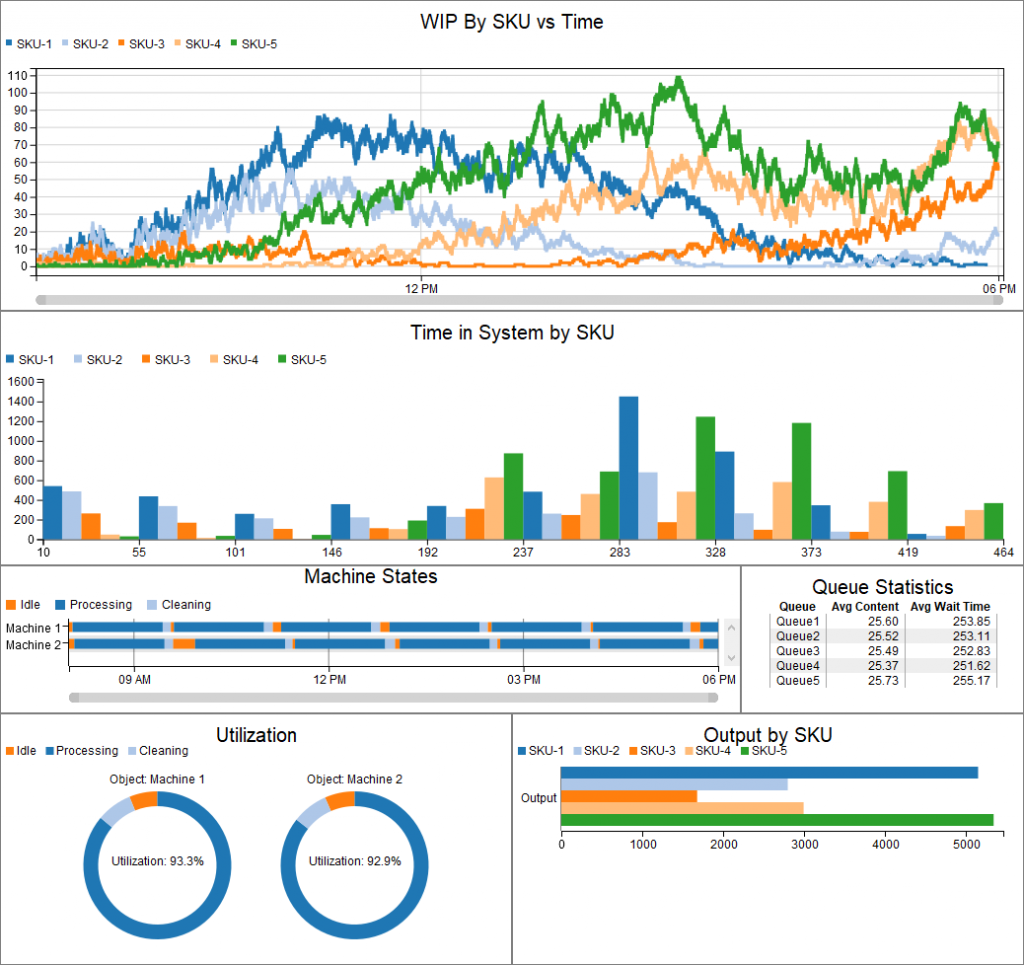
Flexsim's powerful 3D graphics allow in-model charts and graphs to dynamically display output statistics. You can also interface with common spreadsheet and database applications to import and export data. Additionally, Flexsim Chart is a powerful tool for analyzing your simulation results.


Dynamic, in-model charts & graphs
[image: Put 3D graphs into your Flexsim simulation models.]

Flexsim allows you to place line graphs, histograms, pie charts, and more, directly into your model. These 3D graphs, within your 3D model, allow you to quickly and clearly see what is happening in your simulation.

Statistics tracking

Flexsim automatically tracks many different datapoints[image: Flexsim automatically collects many different datapoints as your model runs.] including throughput, content, machine state, and utilization to name just a few.

Enable Flexsim's statistics tracking to output data for later analysis by Flexsim Chart or your own favorite graphing and analysis programs.

Databases & spreadsheets
[image: Import and export input data or results to and from spreadsheets and databases.]

Flexsim can import data from, and export data to, all the most popular spreadsheet and database applications. Broaden your analysis by leveraging these powerful programs.

Flexsim Chart
[image: Use Flexsim Chart to graph your results.]

Flexsim includes its own charting software to create graphs and reports using your simulation results. With Flexsim Chart you can track the movement of material through your system, perform a financial analysis, or compare the statistics of various objects.

Learn more about Flexsim Chart
ExpertFit®

For industry leading distribution fitting, Flexsim includes ExpertFit.

Simulations require input data, usually collected in the real world. Distribution-fitting software takes your collected data and turns it into mathematical formulas that drive Flexsim's simulations.

ExpertFit is taylored to perfectly fit your data distribution curves.

ExpertFit, a mature and feature-rich distribution-fitting power-house, determines the best-fitting probability distribution for your data in seconds.

Learn more about ExpertFit

Experiment & optimize

Experience the predictive power of simulation with experimentation and optimization. Flexsim includes both a built-in experimenter tool as well as a fully integrated OptQuest® interface for intelligent optimization.


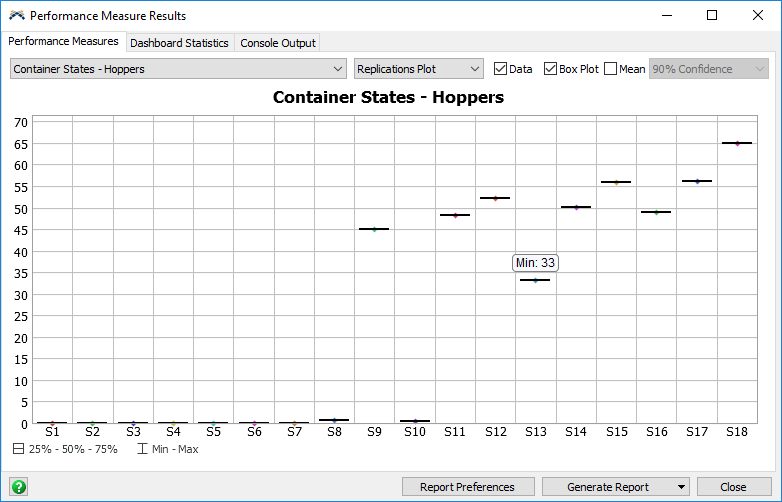
Flexsim's built-in experimenter allows you to run replications of multiple scenarios in order to attain confidence intervals.
Experimenting

The experimenter allows you to quickly change mutliple sets of variables and see the results. Create scenarios by choosing which model parameters to vary. Try a handful of scenarios, or hundreds! Save time by running many replications of multiple scenarios automatically - set it up and walk away.

Running many replications allows you to obtain confidence intervals of the results. View the results of your experiments in easy to read graphs and export reports to HTML.


[image: Flexsim's integrated OptQuest interface allows you to easily set up an optimization for your simulation.]
Optimize with OptQuest

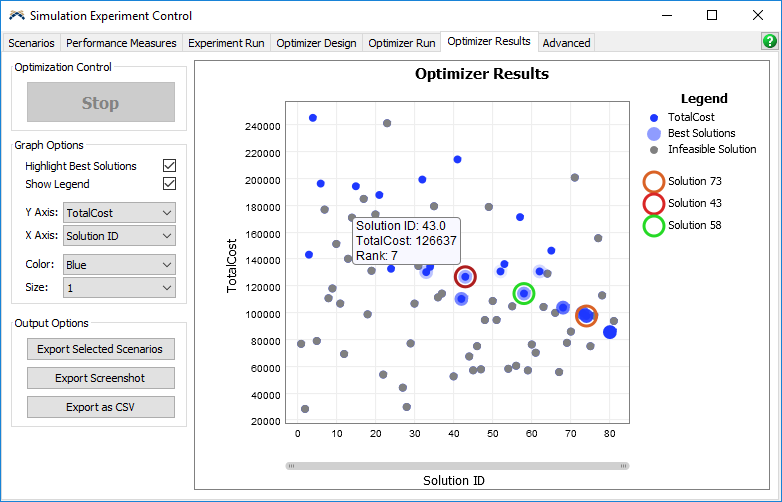
Sometimes as a modeler you're not sure which scenarios represent your system's optimum configuration. Optquest can intelligently suggest optimized scenarios for you.

OptTek's OptQuest optimization engine combines tabu search, scatter search, integer programming, and neural networks algorithms to efficiently identify ideal scenarios according to parameters you specify. OptQuest is fully integrated into Flexsim's modeling interface, giving you quick access to the industry leader in intelligent optimization.

Learn more about OptQuest

Ease of use

Flexsim is designed to be user-friendly and intuitive. Sensible interfaces and straight forward usage put Flexsim at the front of simulation software usability. Plus, enjoy multiple outlets to training, help, and the most active simulation community forum on the web.


Drag & drop model building
[image: Build your models with Flexsim's drag and drop interface.]

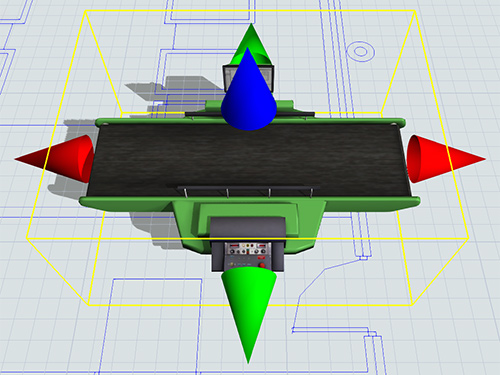
Quickly and easily build your model by dragging objects into view and positioning them with point-and-click simplicity. Create connections between objects to define relationships and flow with click-and-drag motion. You'll be creating your system layout quickly and intuitively.

Standard Object Library

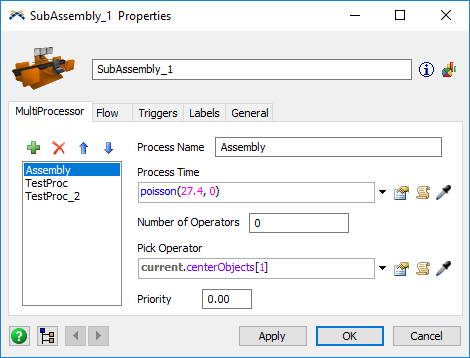
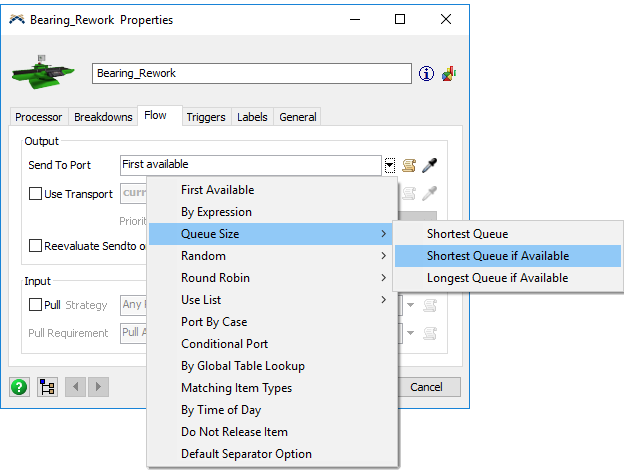
Flexsim includes a whole library of objects that can be used immediately to build many of different models.Flexsim objects are easily customized using pre-configured picklist options to define unique behaviors.

Because no two systems are alike, objects are easily customized by choosing from a list of preconfigured behaviors. A variety of actions are possible - you can even mix and match included options, or create your own.

Get help when you need it

When you're customizing objects and creating your own behaviors, you'll appreciate Flexsim's context sensitive help buttons on every graphical interface, automatic command completion tips, and comprehensive function documentation.

View the difference
Flexsim's views include 2D planar, 3D orthographic and perspective, and hierarchical tree view. Together these views allow you to see your simulation model like never before.

View your model in 2D, 3D, or in a hierarchical tree view. Each view gives you a unique perspective on what is going on in your simulation. You can develop your models exclusively using one view, or keep several views open simultaneously for faster model building.

Active Community Forum
[image: Flexsim has an active worldwide community of users.]

Flexsim users can share tips and tricks, get modeling advice, or ask for help at the Flexsim Community Forum.

Our worldwide user base is active and welcomes simulation newcomers.Users, both new and expert, engage in discussions about all aspects of simulation and[image: Flexsim's user community is active and friendly.] Flexsim Simulation Software. Technical support staff and Flexsim developers frequently give an insider's view to the discussions.

Visit the Community Forum

Customize your modeling experience

No other simulation software compares to the level of customization that Flexsim provides. You can create your own classes, libraries, GUIs, or applications. Flexsim opens up what most competing products protect as source code.


[image: Flexsim allows you to import custom made 2D and 3D shapes into your simulation model. You can import standard shape file formats from virtually any 3D editing package. In Flexsim, you can make your machinery and equipment look exactly like it does on your plan floor - or use simple abstract shapes if you so desire. With Flexsim's 3D graphics capabilities, anything is possible.]
Shapes & layouts

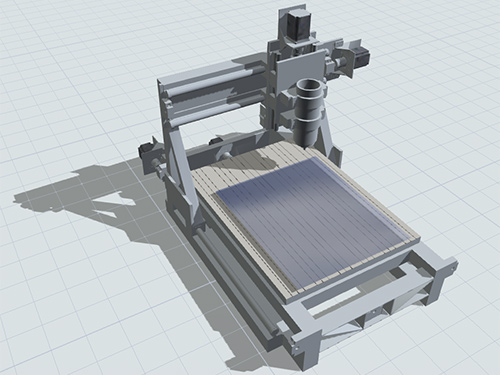
Add excitement and realism to your model by using custom 3D shapes of your buildings, machines, or products. Import 2D or 3D CAD drawings to use as a floorplan or topographical layout.

Whatever you're simulating, with Flexsim's graphics the sky is the limit.

User created objects

Flexsim has a very capable library of class objects that can be used right out of the box to build a variety of different models quickly, with little or no programming required.

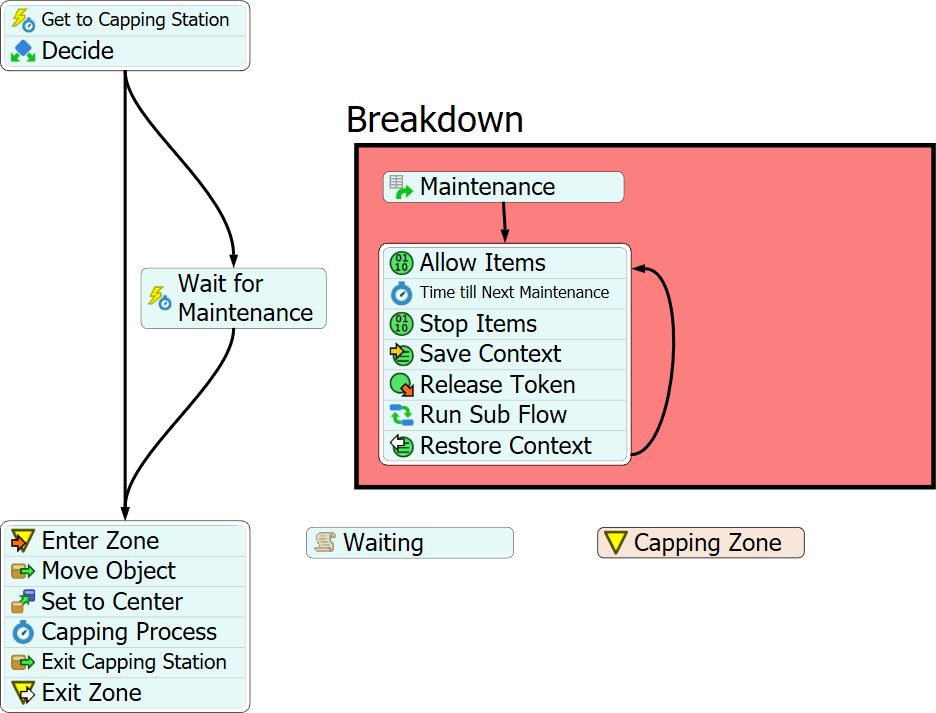
Where more complicated or customized behaviors are required, all Flexsim objects can be extended with the use of trigger logic.[image: Create custom modeling objects to simulate your system's unique behavior.] In addition, the source code for all classes in the library is open to the user to see and use freely. Users can create their own custom objects from scratch, or use existing library objects as a jump-off point.

Custom controls & interfaces
[image: With Flexsim's GUI builder you can customize how users interface with your objects and simulation model.]

By including custom interfaces in your model, you make using and sharing your model easier. Create GUIs for individual custom objects, or to control your whole model.

Ultimate extensibility
[image: Only Flexsim lets you see what is under the hood. Flexsim's integration with C++ lets you incorporate any imaginable functionality into your model very easily. With this ability, you can extend Flexsim to become whatever tool you may need - perfect for hardware emulation, socket communication, or any other use you can think of!]

You'll never have to throw your hands up in frustration because Flexsim can't do something. Flexsim's open architecture and integration with the most powerful and widespread programming language available - C++, means that Flexsim can be extended with any functionality imaginable - from sockets and servers to home brewed DLLs.

No programming - no problem

You don't have to be a C++ programmer to make the most of Flexsim's flexibility. There's a simple scripting language available, not to mention all of the pre-configured picklist options that come packaged with Flexsim. Where you meet a brick wall with other simulation software packages, Flexsim gives you a door.

System Requirements


Recommended

Minimum

Processor

Intel Core 2 Duo or AMD Athlon 64 X2 or better Intel Pentium 4 or AMD Athlon XP

System Memory

1 GB RAM or more 256 MB RAM

Graphics Card

NVIDIA GeForce 6 series or higher 64 MB OpenGL compatible graphics card

Operating System

Microsoft Windows XP or Vista

Additional Software

.NET Framework1, Visual C++2

1. REQUIRED - Flexsim uses functionality provided by Microsoft's .NET framework version 2.0 or higher. The .NET framework is already installed on most computers. It can be freely obtained from Microsoft Windows Update, or as a standalone download directly from Microsoft.

2. OPTIONAL - Microsoft's Visual C++ can be used in conjunction with Flexsim to build compiled models or enhance system level functionality (OS, network, etc.). These features are optional, however. Flexsim does not require a compiler to build or run simulation models. Microsoft's Visual C++ Express Edition is a free download from Microsoft Corporation.

Screenshots